How to Stop WhatsApp from Filling Up Your Phone's Storage
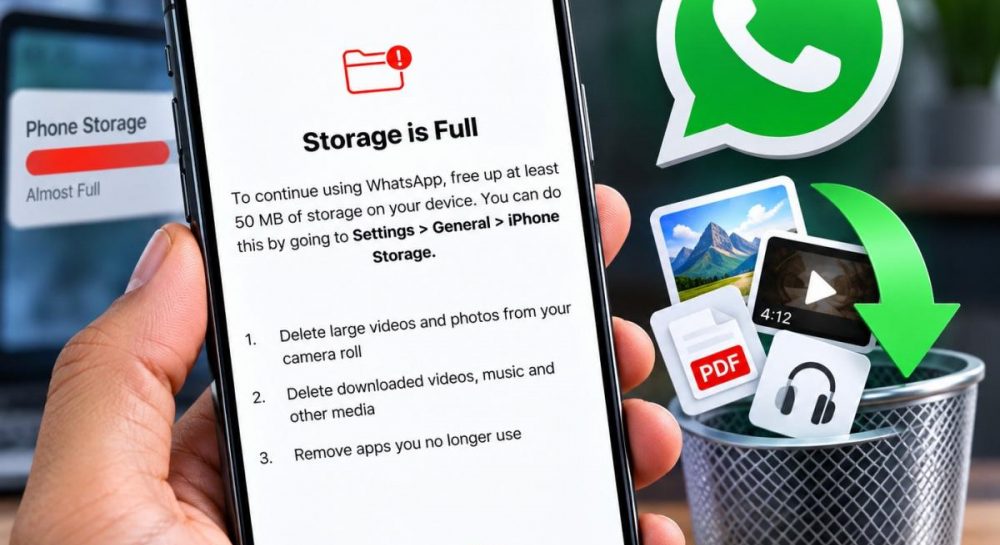
WhatsApp can quickly consume your phone's storage due to automatic media downloads. Adjusting a few settings will help you reclaim gigabytes of space and keep your gallery organized.
 💼Economy
Photo: UNIAN
Key points
- WhatsApp auto-downloads consume valuable phone storage
- Media files from chats can take up to 10 GB
- Disabling auto-save prevents gallery clutter
- Built-in tools help quickly clean heavy files
Mobile devices with 64GB or 128GB of storage frequently run out of space, and one of the main culprits is WhatsApp. The popular messaging app has a habit of automatically saving incoming photos, videos, and documents directly to the device's internal storage. This constant accumulation can quickly overwhelm the system, leaving no room for new pictures or essential software updates.
Managing Media Downloads on Android and iPhone
According to experts, media files from WhatsApp typically take up between 2GB and 10GB of space. For users with standard storage capacities, this fills up devices within months. Fortunately, changing a few settings on both Android and iPhone can instantly halt this process. By disabling automatic downloads, incoming images appear as blurry previews, allowing users to choose which files are actually worth saving.
Furthermore, if your device is already full, WhatsApp features a built-in cleaning tool that analyzes chats and sorts heavy videos and duplicate images. This enables users to quickly purge unnecessary digital clutter without deleting important personal memories. These simple adjustments ensure better performance and prolonged storage availability on your daily device.
Source UNIAN — unian.ua/techno/communications/yak-zvilniti-do-10-gb-na-smartfoni-p… ↗
Read next
 💡Tech
Water mouse considered extinct for nearly a century rediscovered in Ethiopia
Scientists in Ethiopia have rediscovered the rare Ethiopian water mouse (Nilopegamys plumbeus), which had not been documented since 1927. Genetic tests are currently unde…
 🧠AI Analysis
EU Launches Antitrust Probe into Coca-Cola Bottler Over Pricing Practices
The European Commission has opened an investigation into Coca-Cola Europacific Partners for allegedly preventing retailers from sourcing cheaper drinks across EU borders.…
 ⚽Sport
Alcaraz's Dominance and Rising Stars: ATP Finals Recap
Carlos Alcaraz confirmed his status as a tennis world leader by winning the ATP Finals undefeated, despite facing a hip injury.
 🏛️Politics
Prospects for Zelensky-Putin Negotiations: MP Assessment
MP Oleh Dunda commented on the possibility of direct talks between the leaders of Ukraine and Russia, highlighting the lack of real progress in the peace process.
 🇺🇦Ukraine
Hungarian Prime Minister Announces Visit to Transcarpathia to Show Support
The Hungarian Prime Minister has announced plans to visit Transcarpathia, expressing solidarity with the Ukrainian people amid ongoing Russian aggression.
 🇺🇦Ukraine
Slovak Foreign Minister Blames Ukrainians for 1968 Invasion of Czechoslovakia
Slovak Foreign Minister Juraj Blanár attempted to shift responsibility for the Soviet occupation of Czechoslovakia onto Ukrainians, citing the composition of the Soviet a…